VoIP Phone Services Built for
Modern Businesses

Why Businesses Switch to VoIP
VoIP (Voice over Internet Protocol) replaces legacy phone lines with secure internet-based calling, so your team can work from desk phones, laptops, and mobile devices while keeping a consistent, professional presence.
Key Benefits You’ll Actually Use
- Answer calls anywhere (desktop app, mobile app, or desk phone)
- Never miss sales opportunities with smart auto-attendants and call routing
- Easier scaling as your headcount grows (add users in minutes)
- Better business continuity with failover options and flexible call handling
- Lower total cost vs. legacy phone systems and maintenance-heavy hardware
VoIP Solutions We Deliver
Choose the VoIP approach that fits your team, locations, and customer workflows:
Business Phone Systems
A full-featured system for everyday business calling, ideal for offices that need extensions, auto attendants, ring groups, voicemail-to-email, and reporting.
Explore our Business Phone System solution
Services delivered:
- Auto attendant / IVR (business greetings, menu routing)
- Extensions and direct-dial numbers (DIDs)
- Ring groups and hunt groups
- Voicemail-to-email and voicemail management
- Call forwarding and simultaneous ring
- Business hours, holiday schedules, and after-hours routing
- Basic call reports and visibility
Call Center
High-Volume Calling
Route calls faster, monitor performance, and improve customer experience with queueing, call recording options, analytics, and optimized uptime planning.
Learn about Call Center VoIP Services
Services delivered:
- Call queues and queue routing strategies
- Agent/department ring groups
- Call monitoring options (as applicable)
- Call recording options (as applicable)
- Real-time and historical call reporting
- Overflow routing and failover planning
- Call flow optimization to reduce wait time and abandoned calls
Microsoft Teams
Phone Integration
Turn Teams into your company phone system so staff can place and receive external calls directly inside Teams (desktop/mobile/desk phone).
See Microsoft Teams Phone Integration
Services delivered:
- Teams-based inbound/outbound calling enablement
- User provisioning and number assignment
- Call routing rules and auto attendants (where applicable)
- Teams calling policies and configuration guidance
- Device strategy (desk phones/headsets) for Teams users
- Migration planning from legacy PBX/VoIP to Teams calling
VoIP for Multi-Location Businesses
Unify multiple offices, clinics, stores, or branches under one cloud phone system with standardized call flows and centralized management.
View VoIP for Multi-Location Businesses
Services delivered:
- Centralized multi-site call flow design
- Location-based routing and directory/extension planning
- Shared main numbers and department routing across offices
- Standardized auto attendants and business hours by location
- Central admin and simplified management across sites
- Network readiness guidance per location (QoS/bandwidth considerations)
VoIP for Remote &
Hybrid Teams
Keep one professional identity (main number, extensions, routing) while your team works from home, on the road, or in-office, with consistent call quality and support.
Read VoIP for Remote & Hybrid Teams
Services delivered:
- Mobile and desktop app calling setup
- Remote user onboarding and support
- Secure, consistent call handling rules (forwarding/routing)
- Business identity consistency (main number, extensions, caller ID rules)
- Best-practice guidance for home network call quality
- Continuity planning for outages or device changes
VoIP Hardware (Phones, Headsets, Network Readiness)
We help you select the right desk phones, headsets, and supporting network configuration to keep calls clear and consistent.
Browse VoIP Hardware
Services delivered:
- Desk phone selection and provisioning
- Headset recommendations for office/call center environments
- Conference phone options (where needed)
- Deployment planning for devices across teams/locations
- Network readiness recommendations to support voice traffic
- Ongoing device support and replacements (as needed)
Implementation & Number Porting
A structured rollout plan, user setup, training, and support, plus keep your existing phone numbers with coordinated porting.
Learn about VoIP Implementation & Number Porting
Services delivered:
- Implementation planning and project coordination
- Number porting (keep your existing numbers)
- User setup, extensions, and call flow configuration
- Cutover planning to minimize downtime
- Training for admins and end users
- Post-go-live support and optimization
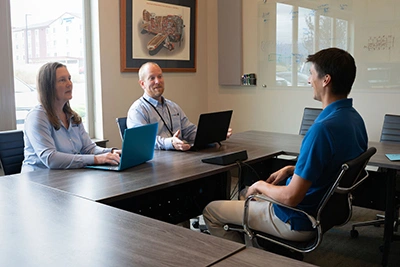
Implementation matters: number porting,
reliability, and adoption
Switching phone systems is easiest when it’s planned correctly. We help you migrate without losing the numbers customers already have saved.
What we handle during rollout:
- Number porting planning and timelines
- Call-flow buildout (IVR, departments, queues, hunt groups)
- Device provisioning and user onboarding
- Testing (inbound, outbound, failover, voicemail, recordings)
- Go-live support and post-launch optimization
VoIP Frequently Asked Questions
How is VoIP different from a traditional phone system?
Traditional systems rely on physical lines and onsite equipment. VoIP uses an internet connection and cloud-based calling—making it easier to scale, manage, and support remote work.
Can we keep our current phone numbers?
Yes. We coordinate number porting so you can keep existing business numbers.
Can employees use VoIP on mobile phones and laptops?
Yes—most deployments include mobile/desktop apps and optional desk phones, so staff can call and receive calls from anywhere.
Do you support Microsoft Teams calling?
Yes. We implement Teams Phone integration options depending on your requirements.
What about multi-location and call centers?
We design solutions specifically for multi-site routing and high-volume environments.
Do you support VoIP for Missoula and Western Montana businesses?
Yes — and VoIP works best when it’s deployed and supported alongside the rest of your IT environment, not as a separate silo. Our VoIP deployments for Missoula businesses are coordinated through Missoula IT support, which means your phones, network, firewall, Microsoft Teams integration, and call routing are all managed by one accountable team. This matters in Missoula specifically, where ISP options vary block-to-block (Spectrum, Blackfoot, CenturyLink, fixed wireless), and call quality depends heavily on how your network is configured.